

Resize Image for Pinterest
Pinterest recommends a 2:3 vertical Pin, and tall images stand out in its grid. Resize your photo to a Pin size below, crop it or keep all of it on a background, and download it ready to pin.
Free to use · No signup · No watermark
Step 1: Add your photo
JPG, PNG or WebP. It stays on your device.
Drop your photo here
or choose a file from your device
Your image is resized in your browser and never uploaded.
Pinterest Image Sizes
Pinterest's own guidance is a 2:3 ratio at 1000 × 1500 pixels. Square Pins and taller 9:16 Pins are also supported.
| Format | Size (px) | Ratio | Good to know |
|---|---|---|---|
| Standard Pin | 1000 × 1500 | 2:3 | Pinterest's recommended shape. Tall Pins stand out in the grid. |
| Square Pin | 1000 × 1000 | 1:1 | Good for products and simple graphics. |
| Tall Pin | 1080 × 1920 | 9:16 | The tallest shape Pinterest offers. The grid may show a shorter preview. |
| Profile cover | 1600 × 900 | 16:9 | Pinterest recommends a 16:9 image for a profile cover. |
Checked against Pinterest Help: Pin specs on September 18, 2026. Platforms change these numbers without notice, so check before a big campaign.
Photos Made Into Pins
Created with the tool on this page. Labels show the export size.
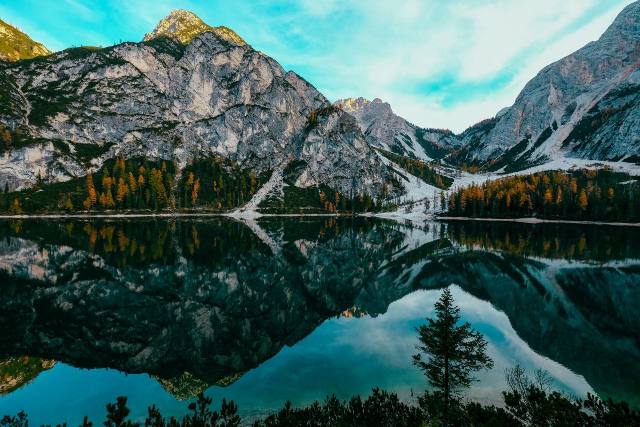
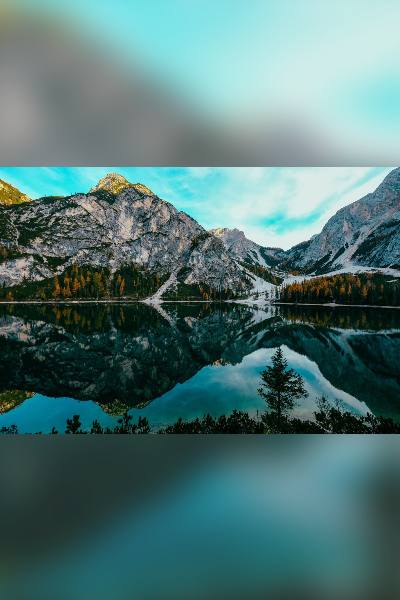
A landscape photo as a 2:3 Pin
Standard Pin · Show whole photo
A wide photo cropped to 2:3 would lose both sides of the lake. Kept whole, it sits in the middle of the Pin, and the space above and below is a natural place for a title if you add one in a design app.
A portrait photo cropped to 2:3
Standard Pin · Crop to fill
This waterfall photo is already 2:3, so it fills the Pin exactly with nothing trimmed. Many phone photos are 3:4 and lose only a little from the sides.


Picking a Pin Shape
2:3 for almost everything
It is Pinterest's recommended shape and fills a column in the grid without being cut short. Recipes, outfits, room ideas and infographics all fit it well.
Square for products
A 1:1 Pin works for simple product shots and logos, though it takes less space in the grid than a 2:3 one.
9:16 for very tall designs
Step-by-step guides and long lists can use 9:16. The grid may show a shorter preview, so put the most important part at the top.
Profile cover: 16:9
Pinterest recommends a 16:9 image for the cover at the top of your profile.
How to Resize an Image for Pinterest
- 1
Choose a Pin size
Pinterest is already selected. Standard 2:3 is the default.
- 2
Upload your image
Drop a photo or graphic onto the tool, or choose it from your device.
- 3
Crop or fit
Crop a portrait photo to fill the Pin, or keep a landscape whole on a blurred or solid background.
- 4
Download and pin
Save the file and create a Pin with it on Pinterest.
Tips for Better Pins
- Stick to 2:3 unless you have a reason not to. It is what Pinterest recommends.
- Put the key part of a tall Pin near the top, where the grid preview always shows it.
- A solid color background in your brand color makes a series of Pins look consistent.
- Save graphics with text as PNG so the letters stay crisp.
- Start from an image at least 1000 pixels wide so the Pin is not enlarged.
Frequently asked questions
What is the best Pinterest Pin size?
1000 × 1500 pixels, a 2:3 ratio. That is the size Pinterest recommends for standard Pins.
Can I make a Pin from a landscape photo?
Yes. Choose Standard Pin and switch to Show whole photo. The photo stays complete and the space above and below is filled with a blurred copy of it or a color you choose.
Do square Pins work on Pinterest?
Yes. 1000 × 1000 is supported. It takes less room in the grid than a 2:3 Pin, but suits products and logos.
What size is a Pinterest profile cover?
Pinterest recommends a 16:9 image. The tool exports 1600 × 900.
Is my image uploaded to a server?
No. The tool runs in your browser and your image stays on your device.
Resize Images for Other Platforms
Each page opens the same tool on that platform's sizes, with its own guide and examples.